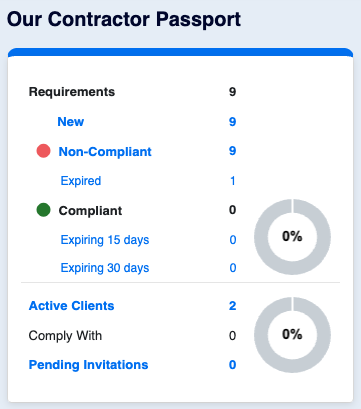
When a document is about to expire, the user responsible for the company Passport will be notified. A first notification is sent 30 days prior to expiry and, if the document has not been updated yet, a second one 15 days prior to expiry. Additional weekly notifications are sent once a document is non-compliant until it is updated.
Left menu: Contractors ⇒ Top sub-menu: Pending Requirements
- Click on the requirement (compliance dot will be red) to open the updating window.
- If the document is required by multiple clients at the same time, you only need to update one to update all at once.
Once one requirement updated, all clients who have requested the document will be notified of the update that they will need to approve.
💡 Good to know
- You can see in your Dashboard, how many documents are expired and how many will expire in 30 and 15 days. The information is a dynamic link to your updating table.