Management groups are sets of users and/or equipment used as tools such as sub-access rights or multiple users selection (table filters, send to…). You can create as many groups as you want and each group can have up to 10 sub-levels. Sub-levels are hierarchal, onegiven level having dominating rights over all its sub-levels.
Users and equipment can be in multiple groups at the same time and can easily be add to a group, delete from a group, or moved to a different group at anytime.
Left menu: Organization ⇒ Top sub-menu: Groups
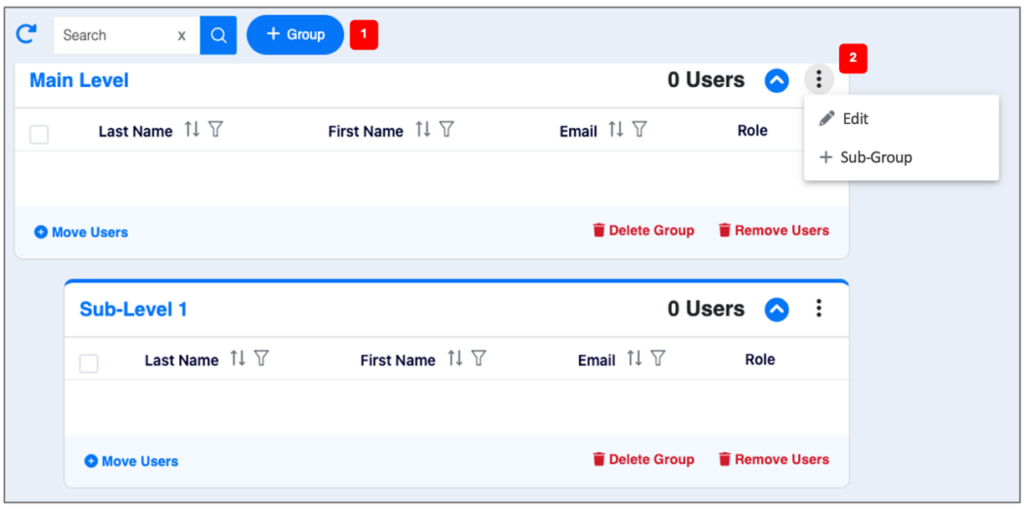
- Click +Group 1️⃣ blue button.
- Name your group (you can modify the name afterwards).
- Click Save
- Click the 3-dots 2️⃣ icon at the far right of the group / sub-group name to
- Modify the name of a group or its content.
- To create a sub-group.
Related Topics