NeXafe Task Manager allows you to create, assign, and track tasks to yourself or to other Users. Each Task allows several integrations with other components of the platform, namely Passports, forms, and Users.
Left menu: Tasks ⇒ Top sub-menu: Tasks
- Click the +Task blue button.
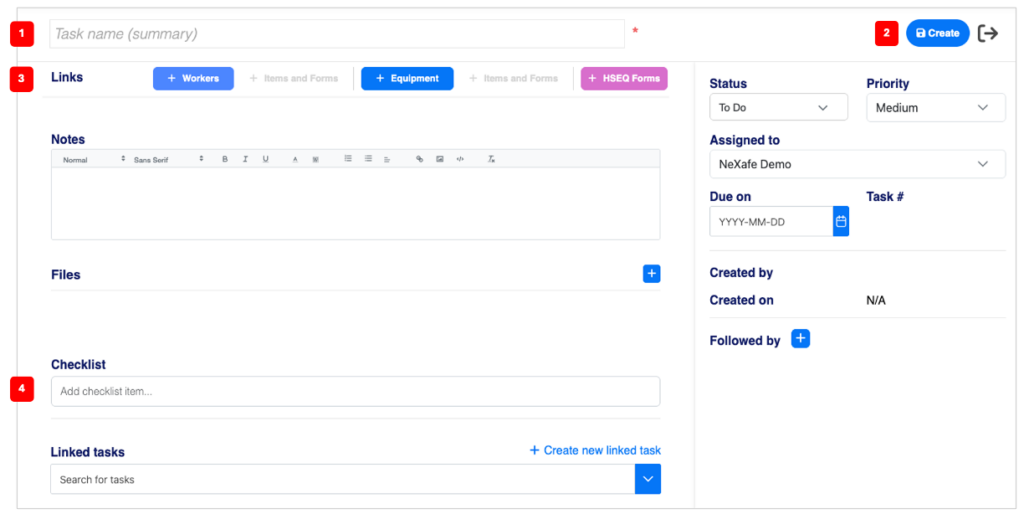
- Name the Task 1️⃣ (mandatory).
- Add any other information.
- Click the Create 2️⃣ blue button to save your information.
Links 3️⃣
- Click the +Workers blue button to add links to Worker passports.
- If you select only 1 Passport, you can add links to the Passport Items by clicking the +Items and Forms sky blue button (inactive if no passport is selected or more than one).
- Click the +Equipment blue button to add links to Equipment passports.
- If you select only 1 Passport, you can add links to the Passport Items by clicking the +Items and Forms sky blue button (inactive if no passport is selected or more than one).
- Click the +HSEQ Forms purple button to add links to HSEQ forms.
Checklist 4️⃣
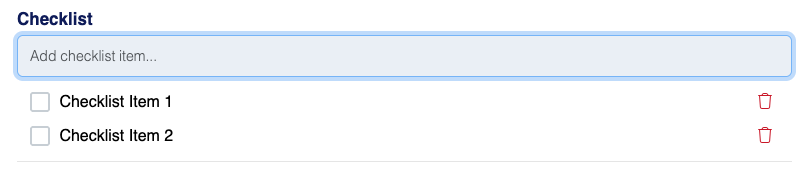
- To add a line to the checklist, simply type your text and press Enter.
💡 Good to know
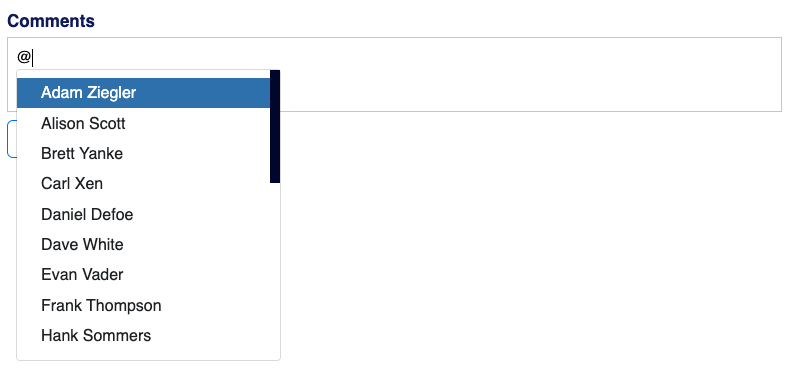
- Once a Task is created, a Comments section will be available at the bottom.
- Type @ to automatically open the list of Users and select a User.
- Then type in your comment and click Save to send your comment to the selected User.