You can easily select and customize the set of filters and the choice and order of columns linked to a table.
Column Management
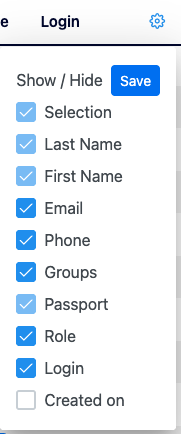
- Click the COG Wheel icon at the end of a table header to open the coloum selection options.
- Check / uncheck the items that you want then click Save.
- Back in the table, the columns will display your selection.
- To change the order of a column, click & hold on its header and drag & release it to the desired position.
Filter Management
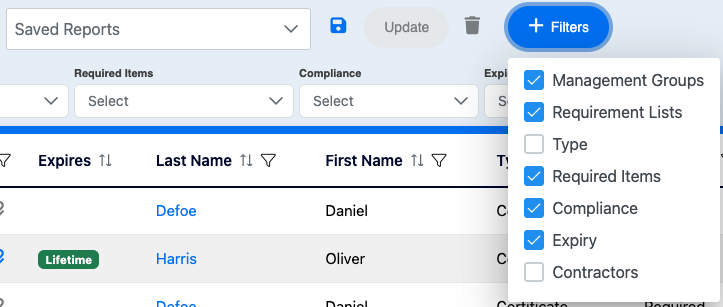
- Click the +Filters blue button to open the filter selection options.
- Check / uncheck the items that you want.
- Your selection will be displayed above your table.
Your filter selection will be reset if you leave the table, but you can save your selection as a Saved Report.
- To save your selection:
- Click on the blue Disk icon to the right of the Saved Reports field.
- Name your report.
- To recall your selection, click the Saved Reports field to open the dropdown list and select your report.
💡 Good to know
- Saved Reports can be exported in Excel files and added to customized notifications (see how below).
Related Topics